You may have seen a error pop up on your project after trying to load it in the editor or switching to 3D that states there was a problem generating your 3D walls. This is due to problems with walls, floor separators or exterior areas. It could also have been caused after a project migration due to new more efficient tools. I have been correcting issues like this for a while now and have developed a list of things to check that will correct the problem and let you continue your project!
Basics methods you will use
-To check walls, hover your mouse over it's length. This will highlight the wall and any thing underneath it, as well as wall and floor separator fragments under the wall.
-Left clicking on an outdoor area will show all it's control points.
-3D mode. Even though it gives an error, it can show hard to find floor separators as strong black lines.
-The Delete key, no save. I use this as a final resort. Save the project if you have made any beneficial changes. Now begin to delete 2 walls at a time and check the 3D mode. Repeat until 3D mode works. Now close the project without saving, and relaunch the project. Delete the last wall you removed and check the 3D walls.
The 7 easy steps:
1. Check all walls for a partition that shouldn't exist mid walls. If you find a wall that is divided without anything intersecting it, delete one half of it and then rebuild the wall with the other half.
2. Check all intersections, they should look clean, hover your mouse over each and if you see a loose segment select and delete it or rebuild that intersection. See Video below for example.
3. Check all walls for windows and doors intersecting through them. Windows and doors should not have a wall intersecting them. See this article to learn how to place windows and doors correctly.
4. There should be no exterior area defined by floor separators or walls. They should be rebuilt using the new exterior area tool.
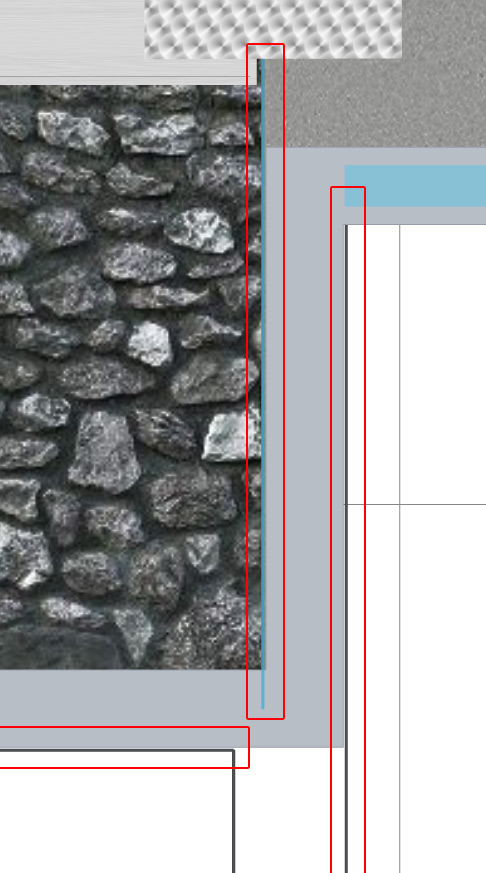
5. Floor separators should never run parallel to a wall. Delete any you find. Additionally, do not set a wall parallel to another wall to simulate thickness. See Image B, below.
6. Sometimes floor separator fragments can be found inside a wall segment. Reviewing the walls in 3D while they still don't work will show them as black lines, they are easier to find. See Image A below.
7. There should also be no walls underneath walls, this can sometimes happen with a very sharp angle. or attempts to thicken walls.
Here is in this video I take you through one such moment:
Additionally a few examples of common issues.
Image A.
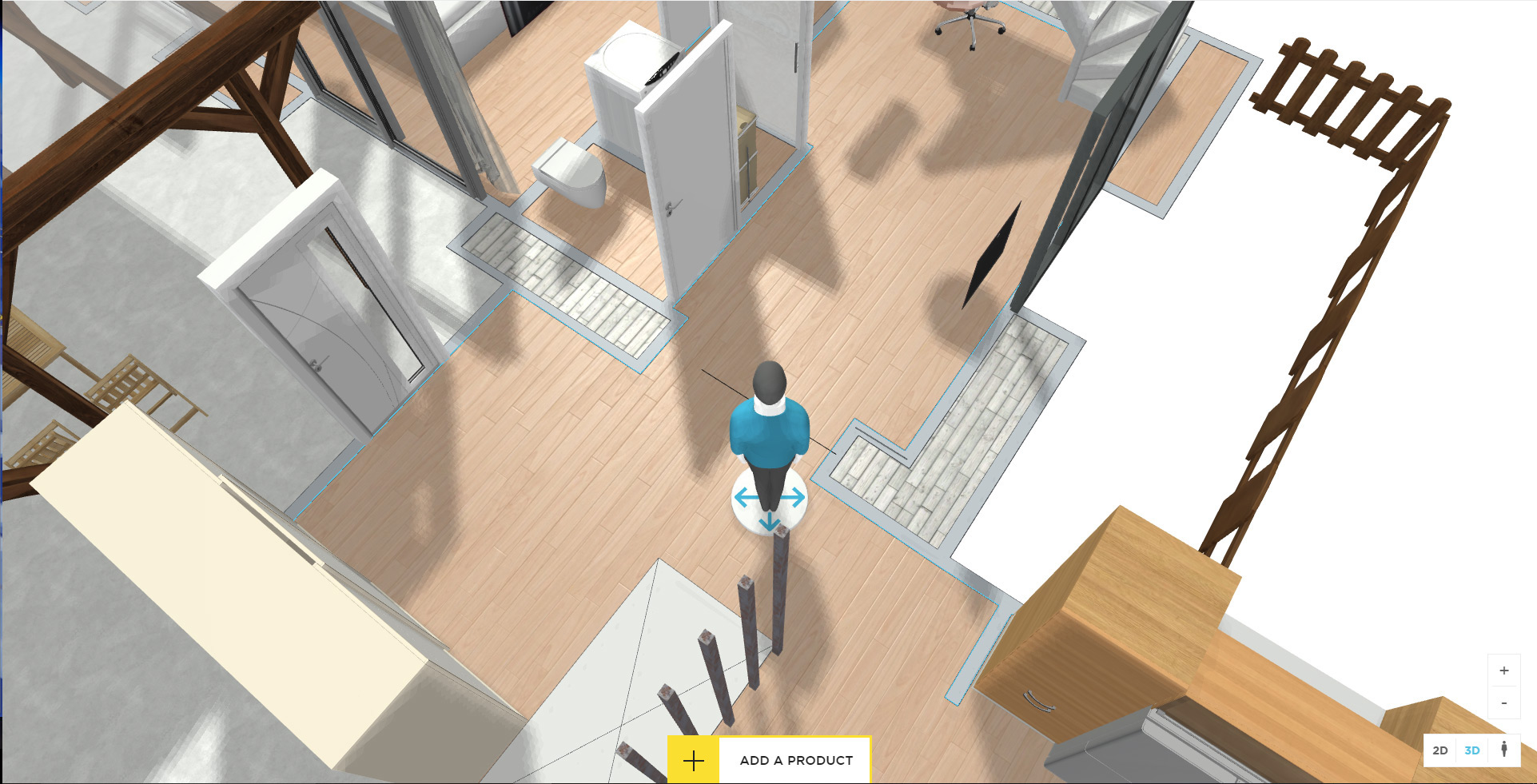
Image B.